



Calendly is one of the most widely used scheduling tools – and for good reason. It simplifies meeting booking, removes back-and-forth emails, and provides a clean, user-friendly experience.
However, it’s not built for every use case.
The core limitation of Calendly is that it focuses on scheduling as an isolated action. It solves availability – but not engagement, qualification, or conversion. In many modern workflows, that’s no longer enough.
Businesses today need more than just booking links. They need systems that can:
- Route leads to the right person based on context;
- Qualify users before scheduling;
- Enable conversation-driven booking rather than static forms.
This shift has led to the rise of next-generation scheduling platforms – tools that combine automation, AI, and CRM integration to turn scheduling into part of a broader customer journey.
Instead of treating meetings as the starting point, these platforms treat them as an outcome.
So, which Calendly alternatives actually improve not just scheduling but revenue outcomes?
Key Takeaways
- Not all Calendly alternatives are just “calendar tools” – some are full engagement platforms;
- The biggest shift is from scheduling → revenue orchestration;
- AI and automation are redefining how meetings are booked;
- The best tool depends on your use case (sales, SMB, SaaS, services);
- In many cases, replacing Calendly means upgrading your entire engagement model.
Comparison Table: Calendly vs Alternatives
Choosing a Calendly alternative is not just about features, it’s about understanding how different tools approach scheduling as part of a broader workflow.
The table below provides a quick comparison of leading options based on use case, capabilities, and positioning.
| Tool | Best For | AI | Routing | CRM | Positioning |
| Omnito | Customer-facing teams | Yes | Advanced | Deep | AI-powered customer engagement platform |
| Cal.com | Dev teams | Limited | Medium | Medium | Customizable open-source scheduling platform |
| Chili Piper | B2B sales teams | Yes | Advanced | Strong | Inbound conversion platform |
| SavvyCal | Consultants & freelancers | No | Basic | Limited | Invitee-first scheduling |
| YouCanBookMe | SMBs | No | Basic | Basic | Simplicity-first |
| Acuity Scheduling | Service businesses | No | Medium | Basic | Simple booking + payments |
| Motion | Productivity users | Yes | Limited | Limited | AI work planner |
| zcal | Individuals | No | Basic | Limited | Branded booking pages |
| Calendly | Individuals & teams | Limited | Basic | Limited | Scheduling tool |
Why Businesses Look for Calendly Alternatives
As scheduling becomes more integrated into sales, support, and customer engagement workflows, many businesses begin to encounter the limitations of traditional tools like Calendly.
These limitations are not necessarily flaws – they reflect the original purpose of the tool. However, as requirements evolve, gaps become more noticeable.
Core Limitations of Calendly
- Static scheduling (no context, no qualification) – Meetings are booked without understanding user intent, lead quality, or urgency. This often leads to inefficient use of time and lower conversion rates.
- Limited routing logic – Basic round-robin or availability-based routing is often insufficient for complex teams or sales processes that require lead qualification and ownership logic.
- Weak personalization – Scheduling pages are largely standardized, with limited ability to adapt based on user behavior, segment, or previous interactions.
- Fragmented workflows (booking ≠ conversation) – Scheduling happens separately from communication. There is no built-in way to guide a user from question → answer → booking within a single flow.
- Pricing scales quickly with teams – As more users, features, and integrations are added, costs can increase significantly – especially for growing teams.
What Modern Teams Actually Need
In contrast, modern businesses are moving toward more integrated and outcome-driven approaches to scheduling.
They increasingly require:
- Intelligent routing based on CRM data and lead context;
- Real-time interaction before scheduling (chat, AI, or guided flows);
- Integrated workflows that connect conversation → meeting → follow-up;
- Automation and AI support to reduce manual effort and increase efficiency.
Insight:
Calendly solves availability. Modern customer engagement platforms solve conversion.
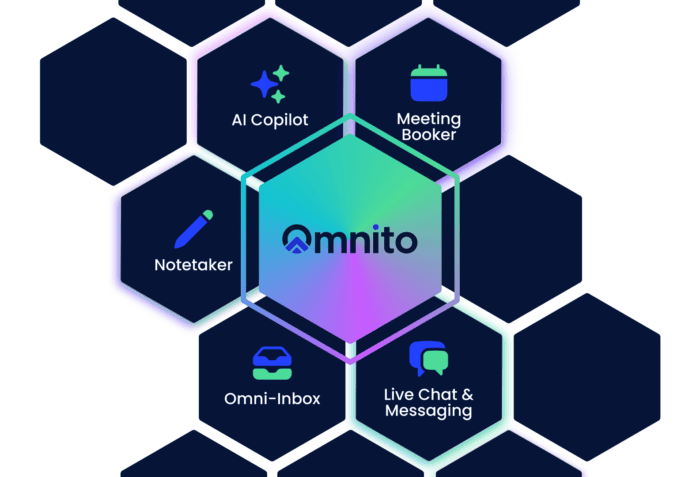
Omnito is built around this model. Live Chat and Omni-Inbox handle real-time interaction, Meeting Booker routes and schedules based on CRM context, and AI Notetaker captures every conversation, so teams move from first message to follow-up without switching tools.
What Makes a Great Calendly Alternative
Not all Calendly alternatives solve the same problem. Some simply replicate scheduling functionality, while others fundamentally change how meetings are booked and integrated into the customer journey.
To choose the right tool, it’s important to evaluate not just features – but how well the solution supports your business model and workflows.
Evaluation Criteria
- Booking experience (UX) – How easy and intuitive it is for users to schedule a meeting. This includes interface design, flexibility in time selection, and overall friction in the booking process.
- Automation & workflows – The ability to automate tasks such as confirmations, reminders, follow-ups, and routing logic. More advanced tools allow dynamic workflows based on user behavior.
- CRM & integrations – Seamless integration with CRM systems and other tools is critical for maintaining context and enabling data-driven decisions. Weak integration leads to fragmented workflows.
- AI capabilities – Modern scheduling tools increasingly use AI for lead qualification, conversation handling, and smart scheduling. This is becoming a key differentiator.
- Team collaboration – For growing teams, features like shared ownership, routing, and visibility into conversations and bookings become essential.
- Scalability – The tool should support growth – from a single user to complex teams with multiple workflows, regions, and customer segments.
Insight: The best Calendly alternative is not the one with the most features – it’s the one that aligns scheduling with your broader engagement and revenue processes.
Top 8 Calendly Alternatives That Actually Work
Not all alternatives are created equal. Some focus on improving the booking experience, while others expand scheduling into a broader engagement and conversion system.
Below are eight tools that stand out based on real-world use cases and business impact.
1. Omnito – Best for Customer Engagement and Meeting Automation (Top Pick)
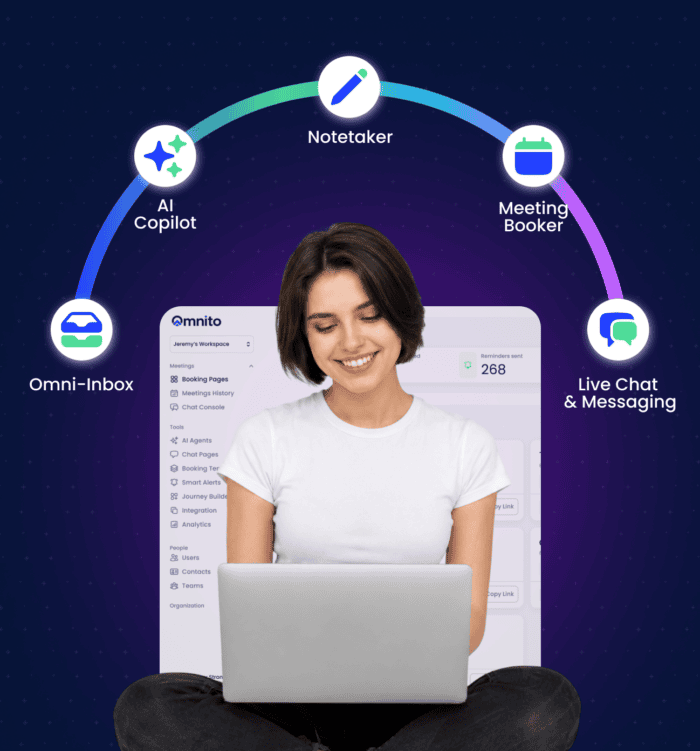
Positioning: AI-powered customer engagement platform that connects Live Chat, Meeting Booker, AI Notetaker, and Omni-Inbox in one system. Fewer tools, better continuity, no lost context.
Unlike Calendly, which stops at booking availability, Omnito connects the full customer journey. Leads engage through Live Chat, get routed to the right team member, book a meeting without leaving the conversation, and receive automatic summaries and follow-ups – all without switching tools.
Key capabilities:
- AI-first Live Chat with human handoff, CRM-based routing, and in-conversation meeting booking;
- Meeting Booker with qualification forms, routing rules, and round-robin scheduling;
- Engage Link replacing static booking links with a conversation-first flow: AI answers first, scheduling follows;
- Omni-Inbox for chat, email, and SMS in one shared workspace. AI handles first responses so teams reach Inbox Zero faster;
- AI Notetaker for meeting capture, summaries, action items, and automatic CRM updates;
- Nito, Omnito’s AI Copilot, for on-demand research, pre-call planning, and automated follow-up drafts;
- HIPAA-compliant for healthcare and regulated industries.
Best for:
- B2B sales and customer-facing teams;
- High-intent lead conversion;
- Teams replacing multiple point tools with one platform.
Pricing: Free plan available. Paid plans start at $20/user/month – Meet+ (Meeting Booker and AI Notetaker), Chat+ at $55 (adds Live Chat and Omni-Inbox), Copilot at $75 (adds unlimited AI assistants). Save 20% with annual billing.
Key differentiator: Omnito treats scheduling as one step in a connected customer journey. Every booking is preceded by a conversation and followed by automated notes and follow-up. One platform. No handoffs between tools. Try the Copilot plan free for 15 days.
2. Cal.com – Best Open-Source Alternative

Positioning: Open-source scheduling infrastructure built for developers. Full customization, self-hosting, and API access so teams can build scheduling into any product on their own terms.
Cal.com is built for technical teams that need scheduling to fit their product, not the other way around. Its open-source model means teams can self-host, modify the codebase, and embed scheduling directly into their applications with full data control.
Key capabilities:
- Fully customizable booking flows and event types;
- Self-hosting option for complete data and infrastructure control;
- Strong API and embeddable scheduling components for product teams;
- Round-robin scheduling and routing forms for team coordination;
- Two-way Salesforce and HubSpot sync, available on the free plan;
- Cal.ai for AI-driven scheduling via phone agent.
Best for:
- Tech teams and developers;
- SaaS products embedding scheduling;
- Companies requiring full control over data and infrastructure.
Pricing: Free plan available for individuals. Teams from $12/user/month billed annually. Organizations from $28/user/month. Enterprise pricing on request. 14-day free trial on paid plans.
Key differentiator: Cal.com is the only tool in this list that can be self-hosted and modified at the code level. For teams that need to embed scheduling into their own product or control their data infrastructure entirely, no other option here comes close.
3. SavvyCal – Best Booking Experience

Positioning: Invitee-first scheduling that adapts to how people actually want to book. Less friction, more flexibility.
SavvyCal is built around the experience of the person being invited, not just the person sending the link. Its calendar overlay lets invitees see their own schedule while booking, removing the back-and-forth of finding a time that works.
Key capabilities:
- Calendar overlay so invitees can compare their own schedule while booking;
- Personalized availability suggestions instead of rigid time grids;
- Meeting polls for coordinating group schedules without locking in a time;
- Round-robin, collective, and group meeting modes for teams;
- Workflow automations, reminders, and CRM integrations;
- Custom domains and paid bookings on the Premium plan.
Best for:
- Consultants and agencies;
- Professionals prioritizing the client booking experience;
- Teams running group scheduling or client-facing bookings.
Pricing: No free plan. Basic from $12/user/month. Premium from $20/user/month, adding custom domains, delegation, and paid bookings. 30-day money-back guarantee.
Key differentiator: SavvyCal is the only tool in this list built primarily around the invitee’s experience. The calendar overlay alone removes the single biggest friction point in standard scheduling links.
4. Chili Piper – Best for Sales Teams

Positioning: Demand conversion platform for high-volume inbound sales. Qualify, route, and book meetings from any channel: web forms, chat, email, or in-app.
Chili Piper goes beyond scheduling by integrating lead routing directly into the sales funnel. Where most tools wait for a prospect to pick a time, Chili Piper qualifies and routes them in real time, from first touch to booked meeting without manual intervention.
Key capabilities:
- Form-to-meeting conversion: qualify and schedule directly from web forms;
- CRM-based routing using Salesforce and HubSpot data, including account ownership;
- Multi-round-robin across teams, roles, and routing rules;
- SDR to AE handoff with instant meeting transfer;
- Chat AI for 24/7 lead qualification and automatic booking;
- Lead-to-account matching and deduplication across the pipeline.
Best for:
- Enterprise sales teams with high-volume inbound pipelines;
- Organizations with complex routing and ownership rules;
- RevOps teams managing lead distribution across Salesforce or HubSpot.
Pricing: No free plan. ChiliCal (scheduling only) from $15/user/month. Full products (Concierge, Chat, Handoff, Distro) from $30/user/month each. All plans include a platform fee ($150 to $1,000/month depending on product and lead volume). Annual billing required for standard rates.
Key differentiator: Chili Piper connects scheduling with revenue operations, ensuring leads are routed, qualified, and booked efficiently.
5. YouCanBookMe – Best for Simple Team Booking

Positioning: Highly customizable booking pages for small businesses and teams. More flexibility than it looks at first glance.
YouCanBookMe covers the full booking lifecycle, from the first scheduling link to payment collection, automated reminders, and follow-up workflows.
Key capabilities:
- Fully branded booking pages with language support;
- Payment collection via Stripe, including Apple Pay and Google Pay;
- Automated workflows for reminders, follow-ups, and no-show management;
- Group sessions, multiple appointment types, and meeting polls;
- HubSpot integration and 6,000+ tools via Zapier (Professional plan and above);
- Round-robin and team scheduling with role-based access (Team plan).
Best for:
- Small businesses and solopreneurs;
- Coaches, consultants, and service professionals;
- Teams needing reliable booking without complex routing.
Pricing: Free plan available. Individual from $9/user/month. Professional from $13/user/month (adds workflows, HubSpot, and Zapier). Team from $18/member/month (adds round-robin and team management). Save 10% annually, 20% on a 2-year plan. 14-day free trial on all paid plans. 30-day money-back guarantee.
Key differentiator: YouCanBookMe offers the branding depth, payment handling, and workflow automation of tools that cost significantly more, without the complexity of enterprise-grade platforms.
6. Acuity Scheduling – Best for Service Businesses

Positioning: Simple booking + payments for service-based businesses. One tool to manage scheduling, client intake, and revenue collection.
Key capabilities:
- Payment collection via Stripe, Square, or PayPal, including deposits at booking;
- Appointment packages, memberships, subscriptions, and gift certificates;
- Custom intake forms for client information before the appointment;
- Multi-staff and multi-location scheduling with up to 36 bookable calendars;
- SMS and email reminders with confirmation and follow-up automation;
- HIPAA compliance option for healthcare providers (Premium plan).
Best for:
- Coaches, therapists, and wellness providers;
- Salons and fitness studios;
- Service businesses.
Pricing: No free plan. Starter from $20/month (or $16 annually). Standard from $34/month (or $27 annually), adding SMS reminders, packages, and memberships. Premium from $61/month (or $49 annually), adding HIPAA compliance and up to 36 calendars. 7-day free trial on all plans. Save 20% with annual billing.
Key differentiator: Acuity handles the full revenue side of appointment scheduling – payments, deposits, packages, subscriptions, and HIPAA compliance – in one tool, without needing separate billing software.
7. Motion – Best AI Scheduling Assistant

Positioning: AI work planner that manages tasks, projects, and meetings together. Scheduling is one part of how it optimizes your entire workday.
Motion is not primarily a scheduling tool, it’s an AI-powered productivity platform where scheduling happens automatically as part of managing your work.
Key capabilities:
- AI automatically schedules tasks and meetings based on priority and deadlines;
- Dynamic calendar adjustments when work shifts or overruns;
- AI task planner with projects, docs, and notes in one workspace;
- Team capacity planning and workload visibility (Business plan);
- Timeline and Gantt charts for project tracking (Business plan);
- Time tracking and advanced reporting (Business plan).
Best for:
- Productivity-focused professionals and founders;
- Small teams managing projects alongside meetings;
- Individuals with complex, frequently changing schedules.
Pricing: No free plan. Pro AI from $19/seat/month (billed annually, saves 33%). Business AI from $29/seat/month, adding team capacity planning, Gantt charts, and time tracking. Free trial available.
Key differentiator: Motion treats scheduling as part of time optimization, not just meeting coordination.
8. zcal – Best for Branded Booking Pages

Positioning: Scheduling pages built to reflect your brand. zcal puts design at the center of the booking experience, with deep customization that most scheduling tools treat as an afterthought.
zcal is a free Calendly alternative focused on making booking pages look and feel like part of your brand.
Key capabilities:
- Custom fonts, colors, layouts, templates, and welcome videos for branded booking pages;
- Deep personalization: links and emails addressed using the invitee’s name;
- Round-robin, collective, and group scheduling with configurable availability;
- Meeting polls for async time coordination;
- Stripe integration for payment collection at booking;
- Automated reminders, buffer times, booking limits, and time zone detection.
Best for:
- Freelancers;
- Individuals;
- Small teams where brand presentation matters and budget is limited.
Pricing: Free plan includes unlimited booking links and calendar connections. Pro is $7/user/month (small teams and professionals). Business is $12/user/month (adds custom domains, custom email domains, unlimited teams, and 2x SMS credits). Both paid plans include a 14-day free trial.
Key differentiator: zcal is the only tool in this list that treats visual design as a first-class feature from the free tier. If your booking page is client-facing and you want it to look like your brand rather than a generic scheduling form, zcal delivers that without a subscription.
How to Choose the Right Calendly Alternative

Selecting the right Calendly alternative depends less on the tool itself and more on how scheduling fits into your broader workflow.
A simple booking tool may be sufficient for some use cases, while others require a fully integrated engagement system.
Step-by-Step Approach
1. Define your use case
Start by identifying the primary context in which scheduling is used:
- Sales (lead conversion, demos);
- SMB operations (general booking);
- Service businesses (appointments and payments);
- SaaS (product-led onboarding and demos).
Different tools are optimized for different scenarios, there is no universal solution.
2. Decide what level of functionality you need
- Simple booking: Basic scheduling with minimal setup and low cost. Suitable for individuals and small teams.
- Full engagement system: Advanced workflows including routing, qualification, and integration with CRM and communication tools.
The key difference is whether scheduling is a standalone action or part of a larger customer journey.
3. Evaluate integrations
Scheduling rarely exists in isolation. Consider how the tool connects with:
- CRM systems;
- Marketing automation platforms;
- Communication tools (chat, email).
Strong integration ensures that scheduling data becomes part of a unified workflow.
4. Think long-term scalability
What works today may not work as your business grows.
Consider:
- Team expansion;
- Increased booking volume;
- More complex workflows and routing needs.
Choosing a scalable solution early can prevent costly migrations later.
The right Calendly alternative is not defined by features alone but by how well it fits into your overall engagement and revenue system.
Common Mistakes When Switching from Calendly
Switching from Calendly is often treated as a simple tool replacement. In reality, it’s usually a process change – and that’s where most mistakes happen.
- Replacing the tool without changing the process. Many teams adopt a new solution but keep the same “send a link and wait” approach. Without rethinking the workflow, the impact remains minimal.
- Choosing a cheaper tool instead of a better fit. Lower pricing can be appealing, but it often comes at the cost of missing capabilities that directly affect conversion and efficiency.
- Ignoring CRM integration. Scheduling without CRM context limits routing, personalization, and tracking. This disconnect reduces the overall effectiveness of the system.
- Underestimating onboarding complexity. More advanced tools require setup, configuration, and team alignment. Without proper onboarding, adoption can stall.
- Keeping a “link-based booking” mindset. Relying solely on static booking links ignores the opportunity to guide users through a more interactive, conversion-focused experience.
The Future of Scheduling: From Links to Conversations
Scheduling is no longer just about finding a time slot – it’s becoming an integrated part of the customer journey.
What’s Changing
- Static links → dynamic conversations;
- Booking pages → real-time engagement;
- Manual scheduling → AI orchestration.
Instead of sending users to a separate booking page, modern systems engage them in context: answering questions, qualifying intent, and guiding them toward the right outcome.
Key Idea
Scheduling is evolving into a process that is:
- Contextual – based on user behavior, intent, and data;
- Personalized – tailored to individual needs and scenarios;
- Outcome-driven – focused on conversion, not just booking.
This shift changes the role of scheduling from a passive step to an active part of the revenue funnel.
Omnito is built around this model. Engage Link replaces static booking links with a conversation-first flow: a visitor asks a question, gets an answer, and books without leaving the page. Live Chat and Omni-Inbox handle real-time engagement across chat, email, and SMS. Meeting Booker routes and schedules based on CRM context. AI Notetaker captures every conversation, and Nito, Omnito’s AI Copilot, handles pre-call research and follow-up automatically.
The result is a complete loop, from first message to booked meeting to post-call action, without switching tools.
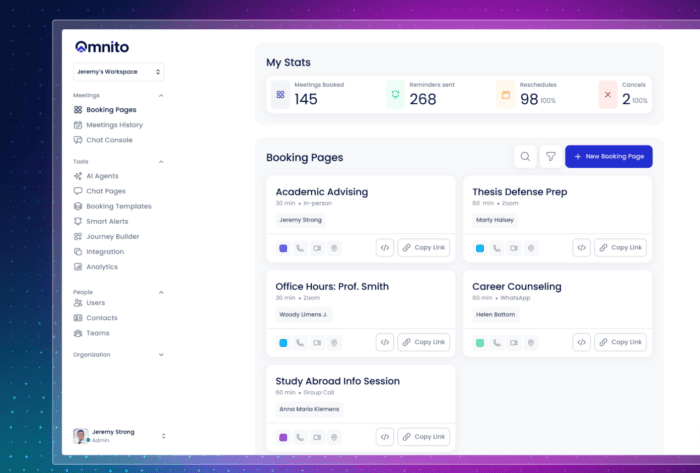
It works across sectors where every dropped conversation carries real cost. A leading healthcare insurance provider uses it to connect patients with the right care team without manual coordination. A New York City government agency uses it to manage citizen-facing scheduling at city scale. A top Ivy League university runs student and advisor engagement through a single system. And a Fortune 500 cybersecurity company uses it to coordinate sales and customer success from first outreach to closed deal in one system.
Bottom Line
Calendly remains a strong and reliable scheduling tool but it is fundamentally designed for a narrower use case.
As business needs evolve, alternatives are moving beyond simple booking functionality toward more integrated engagement systems.
The real shift is not just in tools, but in how scheduling is approached – from a standalone action to a connected, data-driven process.
Omnito is built for that next step. Live Chat, Omni-Inbox, Meeting Booker, AI Notetaker, and Nito work as one system, so customer-facing teams move from first message to booked meeting to post-call follow-up without switching tools or losing context. For teams where scheduling is part of a larger revenue or engagement motion, it’s the only tool in this list that covers the full loop.
FAQ
What is the best Calendly alternative?
The best alternative depends on your use case. For simple scheduling, lightweight tools like zcal or SavvyCal may be sufficient. For sales and conversion-focused workflows, platforms that combine routing, automation, and CRM integration deliver better results. For teams that need scheduling as part of a broader engagement system – with live chat, omnichannel inbox, and AI – Omnito covers the full workflow in one place.
Are there free Calendly alternatives?
Yes. Cal.com, zcal, YouCanBookMe, and Omnito all offer free plans with basic scheduling features. These plans are usually limited in automation, integrations, and team functionality, which can become a constraint as your needs grow.
Which tool is best for sales teams?
Sales teams generally benefit from tools that support lead routing, qualification, and CRM integration. Chili Piper is built specifically for inbound conversion. Omnito goes further, combining Meeting Booker with Live Chat, Omni-Inbox, and AI Notetaker so sales teams handle the full cycle from first contact to post-meeting follow-up without switching tools.
What is the difference between scheduling tools and engagement platforms?
Scheduling tools focus on booking meetings. Engagement platforms integrate scheduling into a broader workflow that includes communication, qualification, routing, and follow-ups.
Do I need AI in scheduling tools?
Not always. For basic scheduling, AI is not essential. For high-volume or conversion-driven workflows, AI improves efficiency through smarter routing, automated follow-ups, and meeting capture. Omnito’s AI Copilot, Nito, handles pre-call research, in-call notes via AI Notetaker, and post-call follow-up drafts, so teams spend less time on admin and more time on the conversation.
Start Free Trial
Create an Omnito account in seconds.
Get stated
- Saved to Salesforce
- Searchable in Einstein
- Smart notes & follow-ups
- Works with your calendar & tools
- No Agentforce needed

Recent Articles


 Google
  Microsoft




Hi, I'm Nito!
I'm here to help. Who should I connect you with?